A Digital Photo Book - Using Photo Book Software for Family Pics
Be honest with me. What are you going to do with all those digital photos stored
on your computer?
A digital photo book has officially replaced the old-fashioned photo albums. Seriously,
who uses film anymore?
Digital photo books? Have you heard of them before? Do they sound complicated? Well, I have good news for you.
Creating a personalize photo book is a very simple process. It is a lot of fun and one of the best ways to preserve family photos and the stories that go with them.
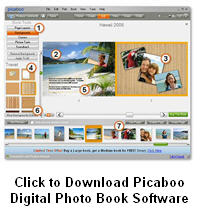
All you have to do is download the software, have some pictures thatyou want to use and start being creative.
Once you are happy with each page of your layout, professionally printed and bound photo books can be ordered for very reasonable prices.
Using Photo Book Software
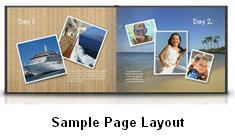
There are many choices when selecting photo book software, but my
current favorite is one called Picaboo!
Photo Book software from Picaboo is free to download. Once downloaded, you can get started immediately.
Picaboo will bring up all your photos it finds in your My Photos folder. You simply put a check mark beside the ones that you want to use.
Then select a layout. Drag and drop your photos into it. Type in some
descriptive words about each photo.
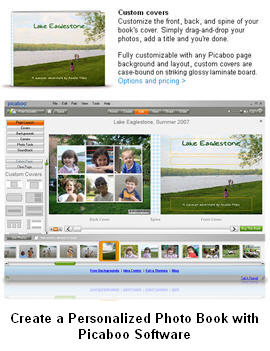
After that you can add some more "point and click" fancy stuff. Before you know it, you have designed a very professional layout and you are ready to share your personalized photo book with friends and family
"It is virtually impossible to design a bad layout
with Picaboo"
But the magic is in having your creation printed into a full color, professionally-bound, personalized photo book.
It is very exciting when you get that book in the mail!
Signing up is free and I know, without a doubt, that you'll love this photo book software program. I give it my highest recommendation
Please Share This Page with Your Friends on Facebook
Site Search
|
|
"A 321-Page Downloadable Fill-in-the-Blank Life Story Workbook"
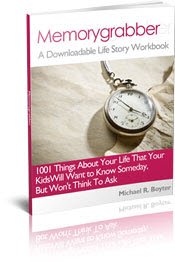
1001 Things about Your Life That Your Kids Will Want to Know Someday, but Won't Think to Ask.
Download it and Start Filling in the Blanks!
Recent Articles


-
Passed and Present: Keeping Memories of Loved Ones Alive
Apr 13, 16 03:35 AM
This book just released today, April 12th, 2016. It sounds like a very good book for "discovering creative and meaningful ways to keep the memory of loved ones alive." I am looking forward to receivin… -
Preserve Family Memories - 2015 Family Year in Review
Dec 31, 15 03:59 AM
 Preserving Family Memories. A Year in Review: Preserve memories of you and your family over the past year
New! Comments
Have your say about what you just read! Leave me a comment in the box below.