Writing an Autobiography, Life Stories, and Journal Writing Ideas
Preserve Family History with Family History Software and other Cool Technologies
Find fun ways to make your family history projects easier ... because they are important!
Preserve family history and memories through a variety of methods, including writing an autobiography, preserving family photos, home videos and/or keeping a journal.
Perhaps you'd really like a way to organize all your family history research, to include pictures,
genealogy and journals into a professional-looking multimedia presentation...then WOW your family with it!
Also don't miss the inspirational and how-to family history articles. They'll be a help and an inspiration
to you.
Articles to Encourage

Flunking Family History -- If your children were given a "test" covering many of the details of your life, and questions about their own family's history, how do you think they'd do?
Monkeys Don't Keep Journals -- But You Should. "... a difference between monkeys and humans is that humans write and monkeys don't. Don't be a monkey." Thoughts on writing and keeping a journal.
24 Things Your Kids Will Want to Know Someday-- Things your kids won't think to ask until it is too late!
Digital Photo Storage -- When it comes to your family's digital photo storage, what are the odds that yours will ever survive and actually be seen by your grandchildren?
What's New?
The Ultimate Beginner's Guide to Genealogy
This guide will help you get started with your research. It will explain:
- step-by-step how to organize your findings
- which records to examine first
- how to conduct oral histories
- and more.
Negative Scanning Service Review - Pros and cons observation of my recent 800 image scanning order that I sent to ScanCafe.
New at Google - HISTORY PIN: Historical Photos for genealogy buffs, history buffs
and everybody else.
Virtual Memorials - Online Virtual Memorials make for a beautiful and lasting memorials for your loved ones.
You might say that they are like a modern day cave wall. It is a way to pass their story and memory on to future generations.
Book Review: Total Recall
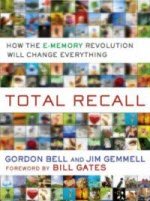
Authors Gordon Bell and Jim Gemmell, senior researchers at Microsoft, tell about their attempt to digitally record as much of life as possible; photos, memorabilia, phone calls etc.
Bell and Gemmell explain how technological advances in digital recording, digital storage and digital search will make is possible for you to "reach out and touch lives in the future, allowing you to make an impact for generations to come."
Read my review of this fascinating book.
New Study: The Importance of Retelling Family Stories

A new study conducted by Emory University, and reported by The Wall Street Journal proves how important it is that kids, learn and know family stories.
It concluded that a child's ability to retell family stories was linked to lower instances of depression, anxiety and less acting out due to frustration and anger. Basically they are happier kids!
Read more about Family Stories
Old Family Photos, Slides or Negatives Collecting Dust?

I recently discovered a great photo scanning service that is helping my parents get
all those thousands of photos and slides, finally, converted to digital ... I will finally get
a copy!! I'm very excited about that. ScanCafe is my top pick for photo scanning service !
How to Easily Preserve Family Stories to Audio with Free or Nearly Free
Online Tools.
Despite living thousands of miles apart, last weekend I deliberately
got together with my two brothers and sister via a two hour phone call
to reminisce a little and create a one of a kind audio gift for mom and dad.
Here is how
we did it...!
Please Share This Page with Your Friends on Facebook